
After a long day, imagine relaxing with entertainment at home. With internet protocol television, you can enjoy shows, movies, and live events. Choosing from many options can make an ordinary evening feel special.
IG IPTV is a strong choice for viewers in the UK and overseas. It offers over 33,000 live TV channels and a library of more than 40,000 movies and 140,000 TV series. You can watch in HD, Full HD, or 4K, combining strong picture quality with wide choice.
We explore picture quality, streaming performance, and device compatibility. Instant activation, simple setup, and plans for different budgets suit modern viewers. IG IPTV aims to meet the needs of many people.
Join us to discover why internet protocol television could be the perfect fit for your viewing experience.
Key Takeaways
- Access to over 33,000 live TV channels and a vast library of on-demand content.
- High-definition viewing options including HD, Full HD, and 4K.
- Reliable performance with high-speed servers ensuring smooth streaming.
- Compatibility with a wide range of devices for your convenience.
- Instant activation and easy setup without any long-term contracts.
IG IPTV at a Glance for UK Viewers
When it comes to live television streaming, IG IPTV is a top choice for UK viewers. It gives instant access to premium entertainment from around the globe. It offers over 33,000 live TV channels, 40,000 movies, and 140,000 TV series in HD, Full HD, and 4K.
Its high-performance servers support smooth streaming without buffering. You can watch your favourite shows and events without interruption. The service promises instant activation and simple setup, so you can start easily.
IG IPTV works with Smart TVs, Android and iOS devices, Firestick, MAG, and PCs. This flexibility makes live television streaming possible wherever you are, whenever you want.
Before subscribing, confirm the current channel list, supported applications, and regional availability. IG IPTV suits viewers who want broad content access, simple activation, and subscription options without a long-term contract.
| Feature | Description | Benefits |
|---|---|---|
| Channel Variety | 33,000+ live TV channels | Access to global entertainment |
| Content Library | 40,000+ movies and 140,000+ TV series | Extensive viewing options |
| Quality Options | HD, Full HD, and 4K | Enhanced viewing experience |
| Device Compatibility | Smart TV, Android, iOS, Firestick, MAG, PC | Stream on your preferred device |
| Setup Process | Instant activation and easy setup | Quick and hassle-free start |
7 Reasons to Choose IG IPTV
Discover why IG IPTV suits UK viewers. It combines many entertainment choices in one service.
1. Access a Vast Range of Live and On-Demand Entertainment
IG IPTV offers over 33,000 live TV channels, plus 40,000 movies and 140,000 TV series. Its library suits many tastes, from gripping dramas to light-hearted comedies. It also offers video on demand, so you can watch films and series when convenient.
2. Explore Content in HD, Full HD and 4K
IG IPTV supports HD, Full HD, and 4K streaming for clear, detailed pictures. Your device and internet speed affect the quality you receive.
3. Enjoy Smooth Streaming on High-Performance Servers
IG IPTV uses ultra-stable, high-performance servers for smooth streaming with little buffering. Your experience may vary with network congestion and connection speed, especially during live broadcasts.
4. Watch Live Sports, Films and Series When It Suits You
IG IPTV lets you watch live sports, films and series when it suits you. You can enjoy favourite content without following a fixed broadcast schedule.
5. Stream on a Wide Choice of Devices
IG IPTV works with Smart TVs, Android, iOS, Firestick, MAG, and PCs. This lets you choose the device that best suits your lifestyle.
6. Get Started with Instant Activation and Simple Setup
IG IPTV offers instant activation and a simple setup process. Even less technical users can start watching their favourite shows quickly.
7. Choose a Plan to Suit Your Budget and Household
IG IPTV offers plans for different household sizes and budgets. With no contracts, you can choose a plan for one viewer or a larger household.
| Feature | Details |
|---|---|
| Live Channels | 33,000+ |
| Movies | 40,000+ |
| TV Series | 140,000+ |
| Streaming Quality | HD, Full HD, 4K |
| Device Compatibility | Smart TV, Android, iOS, Firestick, MAG, PC |
A Closer Look at the Channel Guide and On-Demand Library
Understanding the electronic programme guide helps you get more from IG IPTV. It offers over 33,000 live TV channels, plus 40,000 movies and 140,000 TV series.
The electronic programme guide makes it easier to find live sports, films, series, and international programmes. It groups channels and shows programme details, helping you browse choices with ease. You can explore categories, check schedules, and use search tools to find live events or plan viewing around your routine.
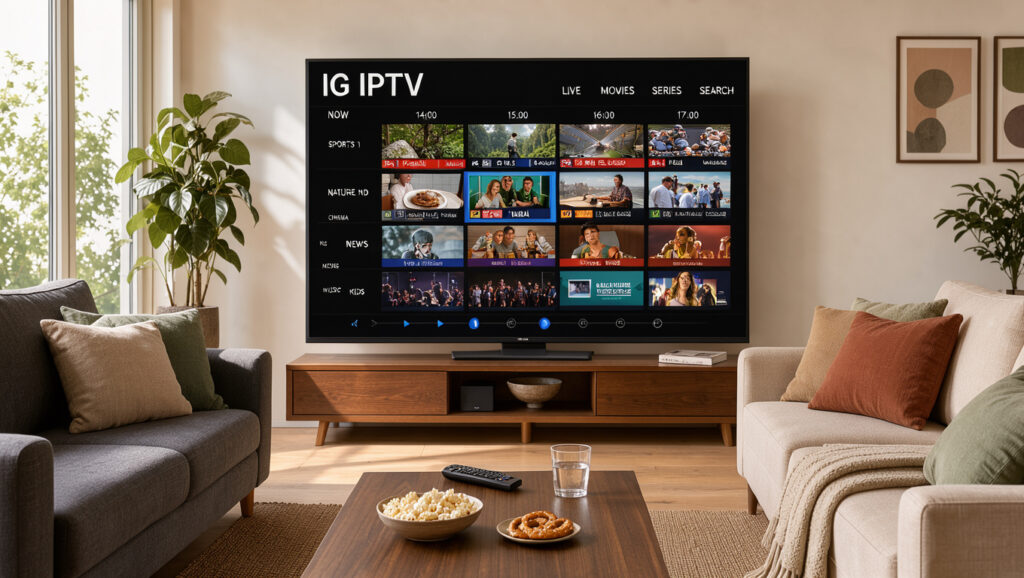
Scheduled channels require you to watch programmes at set times. On-demand films and series let you choose what to watch and when. This choice suits busy lifestyles.
Before subscribing, check that the advertised catalogue has the UK, international, sports, or entertainment content you want. Availability may vary by location or subscription, so check whether your preferred channels are included.
For more help getting started, visit the installation guides for IG IPTV.
Picture Quality, Servers and Streaming Performance
Your viewing experience depends on picture resolution and server performance. IG IPTV offers content in HD, Full HD, and even 4K resolution. However, quality depends on the programme’s supplied resolution and your device’s capabilities.
One key technology that improves viewing is adaptive bitrate streaming. This method adjusts streaming quality to match your current network conditions. When bandwidth fluctuates, adaptive bitrate streaming keeps playback smooth and reduces interruptions.
The performance of IG IPTV also depends greatly on the quality of the servers used. High-performance servers provide ultra-stable connections for seamless streaming. IG IPTV aims to deliver a no-buffering experience, but broadband speed, home network quality, and peak-time demand can affect performance.
For the best streaming experience, consider these practical checks:
- Test your broadband performance regularly to ensure it meets the required speeds for streaming.
- Use a wired connection where possible, as it tends to be more stable than Wi-Fi.
- Keep your streaming software updated to benefit from the latest performance improvements.
These steps can improve your IG IPTV experience, helping you enjoy favourite shows and movies without interruption. For more insights on choosing the right server for IPTV streaming, read this guide. For IG IPTV reviews, visit our reviews page.
Watch on Your Smart TV, Phone, Streaming Stick or Computer
With IG IPTV, you can watch on Smart TVs, phones and other devices. Enjoy your favourite shows and films at home or while travelling. Check your device meets the service’s current terms and has the required applications installed.
Smart TVs are popular for watching IG IPTV. They often include built-in applications, giving easy access to the IPTV player. This setup provides a large screen for films and sports, but check your Smart TV supports the required apps.
For mobile viewing, IG IPTV works on Android and iOS devices. Download the relevant app and log in with your credentials. It is ideal on the go, whether commuting or relaxing at a café.
Firestick and MAG devices also support IG IPTV. These streaming sticks can turn any TV into a smart TV. Install the IPTV player to start watching, and check the app availability and installation process for your device.
If you prefer a computer, IG IPTV works on PCs too. Watch your favourite content in your browser or through an installed application, wherever you choose.
In summary, IG IPTV suits larger screens at home and convenient mobile devices. Use legitimate applications, protect your account credentials and check compatibility before purchasing a plan. For more information, feel free to contact us.

Set Up IG IPTV and Start Watching
IG IPTV is easy to set up, so you can start watching quickly. Choose the number of connections and your subscription length. You will then receive activation details to configure your device.
Use these simple steps to begin:
- Choose Your Plan: Select the plan that best fits your viewing needs and budget.
- Receive Access Details: After payment, you will get your login credentials via email.
- Install the App: Download and install a compatible IPTV application on your device.
- Enter Your Credentials: Open the app and input the access details you received.
- Load the Channel Guide: Once logged in, navigate to the channel guide and explore your options.
- Test Playback: Try watching both live and on-demand content to ensure everything is working smoothly.
IG IPTV uses multicast television delivery, which sends one stream to many users. Your experience depends on content delivery and your home network settings.
Use these tips if you have problems during setup:
- Check your login details for accuracy.
- Restart the application if it doesn’t load properly.
- Confirm that your internet connection is stable.
- If activation details do not appear promptly, reach out to customer support for assistance.
IG IPTV offers no-contract access, giving you more flexibility. Review the renewal and cancellation terms to avoid surprises.
Compare IG IPTV Subscription Plans and Prices
To improve your entertainment experience, compare IG IPTV’s subscription plans. They offer flexible choices for different viewing needs, from solo viewers to larger households. The options and prices appear below.
1 Connection: Monthly, Three-Month, Six-Month and Annual Options
For one connection, IG IPTV offers several price options.
- 1 Month: $15
- 3 Months: $34 (includes 1 month free)
- 6 Months: $44 (includes 2 months free)
- 12 Months: $69 (includes 3 months free)
2 Connections: Plans for More Than One Viewer
If your household has more than one viewer, consider these options.
- 1 Month: $20
- 3 Months: $46 (includes 1 month free)
- 6 Months: $74 (includes 2 months free)
- 12 Months: $115 (includes 3 months free)
3 Connections: Options for Shared Households
Families and shared households can choose plans with three connections.
- 1 Month: $34
- 3 Months: $69 (includes 1 month free)
- 6 Months: $99 (includes 2 months free)
- 12 Months: $145 (includes 3 months free)
4 Connections: Plans for Larger Viewing Set-Ups
If you need more connections, consider these four-connection plans.
- 1 Month: $40
- 3 Months: $89 (includes 1 month free)
- 6 Months: $120 (includes 2 months free)
- 12 Months: $170 (includes 3 months free)
All prices are in US dollars. Before buying, check currency conversion rates, taxes, and promotional terms on the checkout page. A longer plan may reduce your effective monthly cost, but a shorter term lets you test compatibility and content availability first.
Choose the Right Number of Connections for Your Household
Knowing how many connections you need can improve your viewing experience. Choose the right number to get more from IPTV.
| Number of Connections | Best For | Viewing Flexibility |
|---|---|---|
| 1 Connection | Individual Viewer | Watch on one device at a time |
| 2 Connections | Couples | Two people watching separately |
| 3 Connections | Small Families | Flexibility for different schedules |
| 4 Connections | Larger Households | Complex viewing arrangements |
If you watch alone, the 1 connection plan is likely your best choice. It lets you watch on one device at a time, without complications. For couples or people sharing a space, the 2 connections plan lets each person enjoy preferred shows without interference.
Families with different schedules may benefit from the 3 connections plan, which lets everyone watch favourite programmes when convenient. For a larger household or complex viewing needs, the 4 connections plan is ideal. This option lets everyone access the content they love without conflict.
It is important to remember that connections may not mean unlimited devices or simultaneous streams. Always check the provider’s precise definition before subscribing. Consider peak-time usage, shared accounts, device compatibility, and independent access for each viewer when choosing the best option for your household.
For more guidance on choosing the best IPTV plan for your specific needs, see this helpful resource: how to choose the best IPTV.
What UK Viewers Should Check Before Subscribing
Before committing to an IPTV service, evaluate these essential factors. An informed choice can greatly improve your viewing experience.
First, check the channel availability for your chosen content. Ensure your preferred sports, films, and series are available in your region and on your chosen plan.
Next, consider device compatibility. Check whether your Smart TV, Android, iOS device, Firestick, MAG device, or PC is supported. Also, find out whether you need a separate IPTV player or application for smooth streaming.
Review picture quality claims against your broadband capacity. Assess the service’s server performance to avoid buffering during your favourite shows.
For pricing, confirm the payment currency, promotional duration, renewal arrangements, refund policy, and any taxes or charges. Understanding these details helps you avoid unexpected costs.
Most importantly, verify the service’s legal compliance. Choose content access that follows UK law and relevant rights-holder requirements. This ensures you use the service legally and ethically.
For more guidance on choosing the right IPTV service, visit this helpful resource.
Conclusion
Choosing IG IPTV can transform your viewing experience in the UK. Its vast catalogue offers live channels and on-demand content for all tastes.
Whether you prefer sports, films, or series, IG IPTV provides plenty of entertainment choices.
The service offers high-definition viewing, including Full HD and 4K, for crystal-clear picture quality. Its high-performance servers guarantee smooth streaming, with less buffering and more enjoyment.
Flexibility is a key feature, letting you watch favourite shows and films whenever convenient. IG IPTV supports many devices, from smart TVs to smartphones, for viewing on your preferred screen.
Getting started is straightforward, with instant activation and a simple setup process. Plans suit different household sizes, with choices for one, two, three, or four connections.
Monthly, quarterly, and annual terms are available, often with promotional offers for longer commitments.
Before subscribing, check current channel availability, pricing, and device compatibility. Understand legal requirements and content restrictions, then visit IG IPTV’s official site to find the best plan.